Appearance
Employee Profile
The Employee Profile serves as the centralized digital record for an individual employee within NKL-HR. It consolidates personal identity records, work assignments, access permissions, administrative notes, compliance documents, and communication logs.
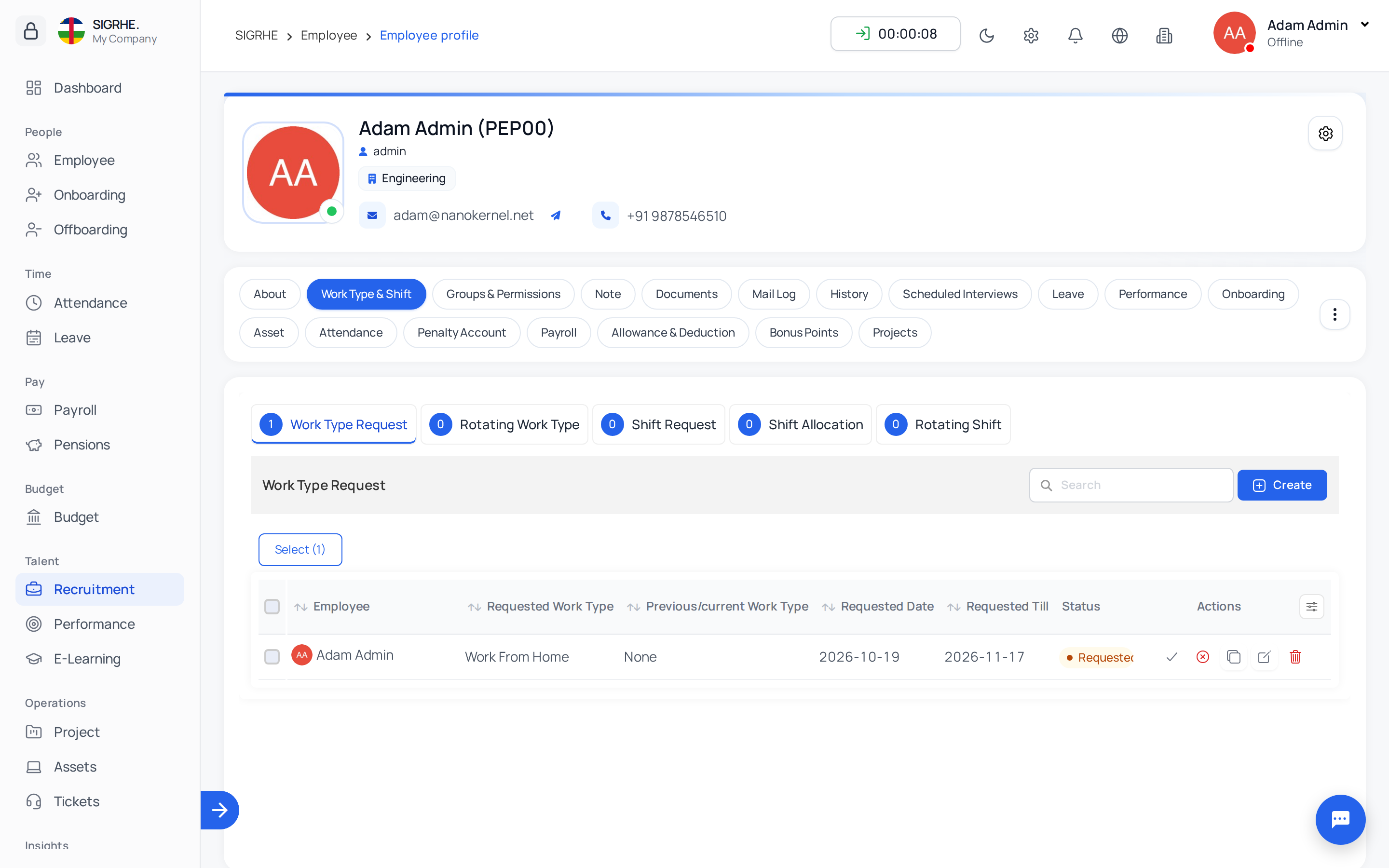
1. Navigating to the Profile
Navigation: Employee → Employees → (Select an Employee)
Administrators can browse through employee profiles sequentially using the previous and next navigation arrows in the profile header, or return to the main directory at any time.
2. Profile Tabs & Information Structure
The profile view organizes employee information into seven distinct tabs:
| Tab | Contents |
|---|---|
| About | Personal information, contact numbers, residential address, emergency contacts, bank details, and employment work information. |
| Work Type & Shift | Current assigned shift and work type, along with historical shift change requests, shift allocations, and active rotation cycles. |
| Groups & Permissions | Assigned system roles, security groups, and granular system permissions for this specific user. |
| Note | Internal HR administrative notes, comments, and confidential file attachments. |
| Documents | Identification, contracts, visas, and compliance documents requested from or uploaded by the employee, including expiration dates and alert thresholds. |
| Mail Log | Complete audit trail of all automated system notifications and custom emails dispatched to the employee. |
| History | Audit log detailing all modifications made to the employee's work information attributes over time (active when Work Information Tracking is enabled). |
3. Administrative Profile Actions
From the profile action bar, authorized administrators can execute key operational actions:
- Edit Profile: Update personal details, work assignments, or banking information.
- Export Individual Data: Download the employee's historical data into spreadsheet format.
- Allocations: View and manage specific operational allocations assigned to the employee.
- Send Mail: Dispatch a direct email to the employee, with support for email templates and attachments.
- Send Invitation: Dispatch an onboarding invitation email allowing the employee to activate their account.
- Send Password Reset Link: Email a secure link allowing the employee to configure a new password.
- Reset Password: Manually specify a new password for the user.
- Archive / Un-Archive: Archive the record upon departure or restore an archived profile.
- Block Account / Un-Block Account: Temporarily restrict or restore system login access (available when Restrict Login Account is enabled).
- Delete: Permanently remove an employee record created in error.