Appearance
NKL-HR Functional Documentation
Introduction
NKL-HR is an enterprise Human Resource Management System (HRMS) designed to meet the operational and administrative needs of organizations and ministries. NKL-HR provides a cohesive, unified workspace covering workforce administration, recruitment pipelines, attendance tracking, leave governance, payroll management, talent onboarding, structured offboarding, performance evaluation, learning management, and comprehensive pension administration.
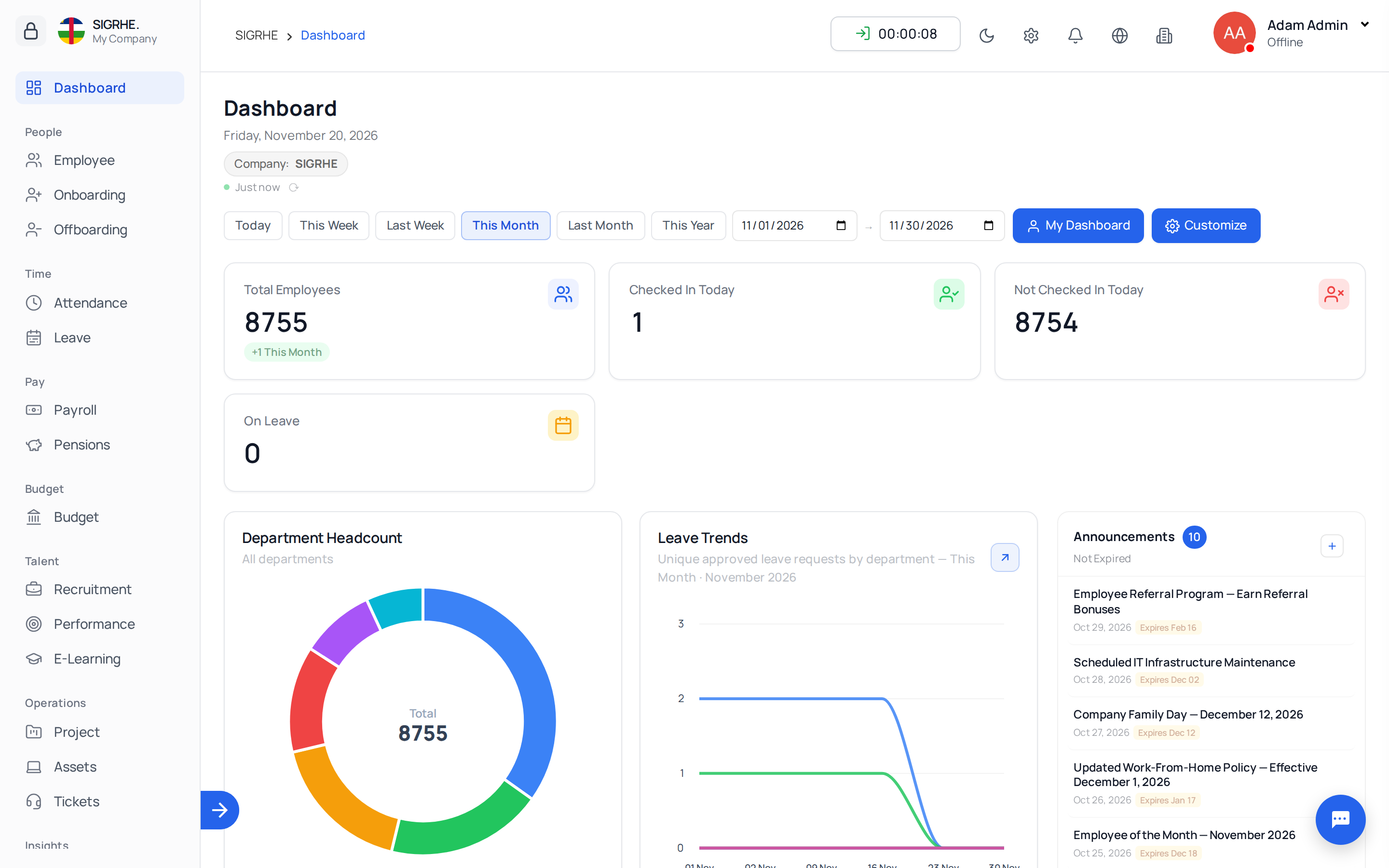
Accessing the Application
Signing In and the Sidebar
Employees sign in using their work email as the username. Each module is accessible directly via the sidebar navigation. Menus, tabs, and action buttons are dynamically displayed based on your assigned roles and permissions.
Select the Ministry / Company First
Every list and operation is scoped to the organization or ministry selected in the company switcher located at the top of the interface.
- Ensure you select the target ministry before creating, importing, or modifying records.
- For users holding roles across multiple ministries or entities, selecting All my companies provides a consolidated view.
Roles and Permissions
Access permissions are managed per ministry through roles under Settings › General › Roles and Permissions. Assigning access via roles ensures standardized governance across teams. Reporting managers, leave approvers, and designated stage/task managers retain operational control over their respective team records.
Recommended System Setup Order
When configuring a new deployment or onboarding a new ministry, execute setup in this recommended sequence:
- Organization Master Data (
Settings › Organization): Create Companies (Ministries), Departments, Job Positions, Job Roles, and Weekly Off Days. - Public Holidays (
Leave › Public Holidays): Configure statutory public holidays and annual recurring non-working days under Leave. - General System Preferences (
Settings › General › System Preferences): Set Badge ID Prefix, currency conventions, date/time standards, and enabled languages. - Email Configuration (
Settings › Email › Email ServersorOutlook Mail): Establish mail server connectivity and dispatch a test email (e.g., password reset). - Roles & Permissions (
Settings › General › Roles and Permissions): Define standardized security roles and assign administrative personnel per ministry. - Module Governance Rules: Establish Attendance Rules, Leave Rules, Offboarding Rules, Encashment Settings, Asset Rule, and Candidate Portal preferences under their respective Settings sections.
- Master Data Import (
Settings › Master Data › Import Data): Bulk import employee directories, followed by initial leave balances, physical asset registries, and candidate pools. - E-Learning Setup (
Settings › E-Learning): Define course categories and establish the default completion certificate template.
Core HRMS Modules
Recruitment
Manage candidate pipelines, resume shortlisting, structured interview scheduling, stage progression, skill zones, and open job surveys.
Onboarding
Transition hired candidates into active personnel via candidate pipeline tracking, digital self-service onboarding portals, configurable onboarding stages, and automated task checklists.
Employee Management
Maintain the central employee directory, personal and banking profiles, contract details, shift and work type requests, rotating schedules, company policies, and formal disciplinary actions.
Payroll
Administer employment contracts, salary allowances, deductions, payslip generation, advance salary loans, reimbursements, encashments, and tax calculations.
Attendance Management
Track daily clock-in/out logs, biometric device records, automated validation rules, overtime approval workflows, late arrival penalties, and monthly attendance reconciliation.
Leave Management
Administer customized leave policies, automated balance resets, carry-forward rules, multi-tier approval chains, compensatory leave, and holiday blackout periods.
Performance
Monitor employee goals, 360-degree feedback reviews, objective assessments, and key performance indicators.
Offboarding
Govern employee departures with structured resignation request approvals, multi-stage exit processes, asset/authority handover tasks, notice period calculations, and automated account archival.
E-Learning
Author interactive courses with multimedia lessons and graded quizzes, assign curricula by department or position, monitor learner progression, and issue verifiable digital completion certificates.
Pensions (Pension Management)
Manage pension funds, contribution deductions, periodic statutory declarations, retirement forecasting, claim lifecycle processing, survivor benefit liquidation, pensioner registries, and payment files.
Settings
Central administration: system preferences, organization hierarchy, email servers, module rules, integrations, and bulk master data import.
Permissions & Administration
Comprehensive role-based access matrix across all functional modules, security controls, and system administrative command-line operations.